Skip to content

DJIA Builder demos

Four short demos, one for each product. Each runs on a real installation with test data and tells you which plugin answers, under which conditions, and what the demo leaves out.

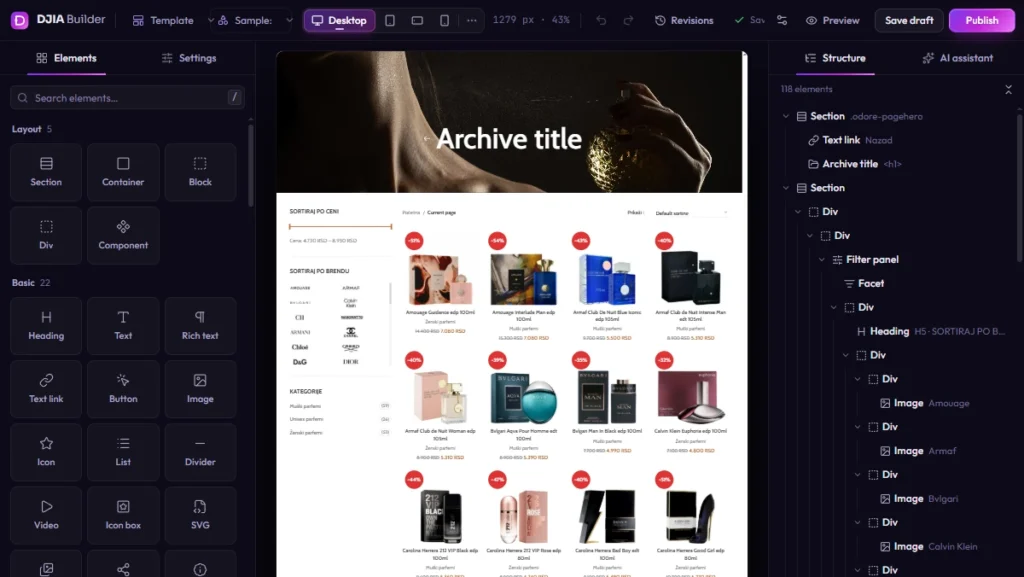
DJIA Builder: edit, preview, publish, roll back

Transcript

To confirm Transcript describing the on-screen actions is written together with the video

Watch one complete change, from the editor to the live page and back.

  1. Select an element in the structure panel and change its style.
  2. Preview on a phone breakpoint before anything goes live.
  3. Publish. DJIA Builder compiles the page into a new release and switches the live site to it only after the build is verified.
  4. Roll back to the previous release from the list of releases. The design returns; your content and orders are not touched.
  5. Open an archive template — a blog or product archive built with Query Loop — and see the same template applied to every matching page.
Try one change: edit, publish, roll backExample content

Live site: previous releasenew release
autoweb.example
CarsBrands

Cars for
autumn

Browse cars
autoweb.example
CarsBrands

Cars for
winter

Browse cars
Draft: not live yetNew release: liveNew release: kept in the list, not live
autoweb.example
CarsBrands

Cars for
winter

Browse cars

Releases

  1. New releaseLive
  2. Previous releaseLive

You change the banner. It is a draft: visitors still get the previous release.Publish: DJIA Builder compiles the page into a new release and switches the live site to it only after the build is verified.Roll back: the design returns to the previous release. Your content and orders are not touched.
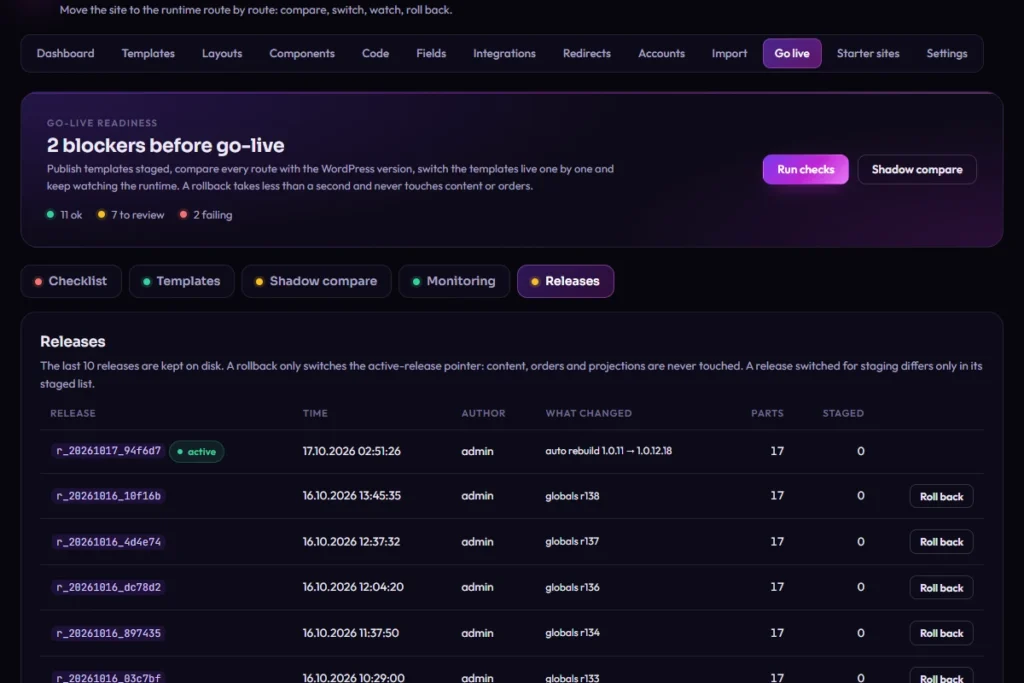
DJIA Builder 1.0.18.5 – Releases
DJIA Builder Go live, Releases tab

What is real: the editor, the release list and the published pages.

What is not shown: your own content, plugins and hosting.

To confirm Interactive sandbox: own temporary install per visitor with limited rights and auto reset; otherwise video and public demo only

DJIA Cache: the same page, MISS and HIT

Open the same page twice and compare. The first request after a purge is generated and stored (X-Djia-Cache: MISS). The next one is sent from the stored copy (X-Djia-Cache: HIT).

Each result is labeled with:

  • Cache state — MISS, HIT or HIT-fastpath.
  • Who answered — WordPress, the DJIA Builder runtime, the DJIA Cache drop-in, or the web server through Fast Path.
  • Whether PHP ran — a normal HIT is sent by the drop-in before WordPress and the database load, but PHP still starts. Only a Fast Path HIT is served without PHP.

Shown for each state: time to first byte, number of requests and page weight, measured on the demo server at the time you click. Measurement Demo server specification

What is not cached in the demo, as on a real store: cart, checkout, My account and logged-in visits.
Same page, two requestsHTML panel, not measured

Example content: the path of this request

  1. Request
  2. Drop-in: no file
  3. Page is generated
  4. DJIA Cache saves it
  5. X-Djia-Cache: MISS
Cache state
MISS
Who answered
WordPress or the DJIA Builder runtime generated the page, then DJIA Cache stored it.
Whether PHP ran
Yes. The page was generated in PHP, by WordPress or by the DJIA Builder runtime.
  • Time to first byteMeasured at clickMeasurement TTFB for the MISS request on the demo server
  • RequestsMeasured at clickMeasurement Number of requests, MISS
  • Page weightMeasured at clickMeasurement Page weight, MISS

Response headers

X-Djia-Cache: MISS

X-Djia-Dropin: Measurement Value read from the live demo response

Example content: the path of this request

  1. Request
  2. Drop-in: saved file
  3. WordPress does not load
  4. X-Djia-Cache: HIT
Cache state
HIT
Who answered
The DJIA Cache drop-in sent the stored copy.
Whether PHP ran
PHP still starts, but WordPress and the database do not load. Only a Fast Path HIT is served without PHP.
  • Time to first byteMeasured at clickMeasurement TTFB for the HIT request on the demo server
  • RequestsMeasured at clickMeasurement Number of requests, HIT
  • Page weightMeasured at clickMeasurement Page weight, HIT

Response headers

X-Djia-Cache: HIT

X-Djia-Dropin: Measurement Value read from the live demo response

Purging clears this one page on the demo shop, so the next request is a MISS again.
DJIA Filter: a real catalog with filters

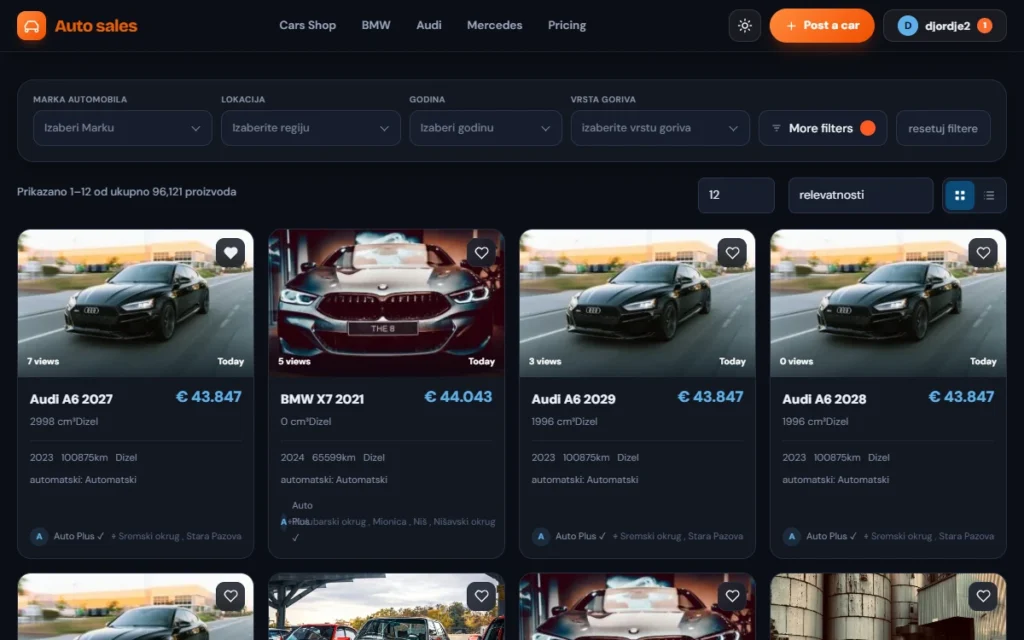
A catalog filtered with DJIA Filter
Filters above the results in a real car catalog.

The filter demo uses a real catalog of Measurement Number of indexed items indexed items. Try several combinations, then:

  • copy the URL and open it in a new tab; the same filters apply once the page loads;
  • use the browser's Back and Forward buttons;
  • choose a combination with no results, then reset;
  • open the filter panel on a phone.
Try a facet: click a brand or a priceExample content
Brand
Price

Addressautoweb.example/cars/?brand=audi%2Cbmw&price=300-600

Showing 1–6 of 12 results

No cars match this combination. Reset removes the filters.

  • Audi A8 50 TDIAudi · €340
  • BMW M 440dBMW · €420
  • Audi A6 AvantAudi · €365
  • BMW X6BMW · €590
  • Audi A8 50 TDIAudi · €480
  • BMW M 440dBMW · €310
  • Audi A6 AvantAudi · €395
  • BMW X6BMW · €370
  • Audi A8 50 TDIAudi · €455
  • BMW M 440dBMW · €520
  • Audi A6 AvantAudi · €310
  • Audi A8 50 TDIAudi · €560
  • Alfa Romeo GiuliaAlfa Romeo · €210
  • Alfa Romeo GiuliaAlfa Romeo · €680
  • Alfa Romeo GiuliaAlfa Romeo · €245
  • Alfa Romeo GiuliaAlfa Romeo · €720

DJIA Filter as a standalone plugin

This demo runs DJIA Filter on a site built with another builder To confirm Bricks and the exact version, the way most standalone customers use it. Facets, counts, sorting, pagination and the mobile panel come from DJIA Filter and its own index.

Try the standalone DJIA Filter demo

Filters built into DJIA Builder

This demo uses only DJIA Builder's own filter elements, rendered by the runtime, with no add-on installed. It shows what you already get with DJIA Builder, so you can decide whether you need DJIA Filter at all.

Try DJIA Builder's built-in filters

DJIA Solr: names, codes and empty results

Search a demo store whose search runs on an Apache Solr server. Try:

  • A product name — ranking puts title matches first.
  • A SKU, with and without hyphens — product codes are matched as codes.
  • Several words — results must match most of them.
  • A query with no results — see what the visitor is offered instead.

Suggestions appear while you type. On this demo, built with DJIA Builder, they include products with image and price, categories, brands and query completions; the standalone plugin's own suggestions are text only. To confirm Whether the Solr demo runs on DJIA Builder; if not, show only the plugin's text suggestions

The demo catalog is in Serbian, because language handling in DJIA Solr 1.1.1 is built for Serbian: Latin and Cyrillic, with or without diacritics, return the same results. To confirm Serbian query examples for the demo

What the demo does not show: synonyms depend on the list you set up for your catalog, and spelling correction is shown only for queries where it was tested.

To confirm Demo URL

DJIA Solr demo – search with suggestionsPlaceholder
Screenshot D-06 · search field with open suggestions
Preview a query (Serbian demo catalog)Example content

SearchhybridxDrivehybrid diesel automatic whitemotorcycle

12 results1 resultNo results for “motorcycle”. Try fewer words or remove a filter.

  • BMW M 440d HybridBMW · Hybrid (Diesel)€45,000
  • Audi A8 50 TDI HybridAudi · Hybrid (Diesel)€53,062
  • BMW X6 xDrive40d HybridBMW · Hybrid (Diesel)€36,800
  • BMW M 440d HybridAudi · xDrive€45,000
  • BMW M 440d Hybrid3 of 4 words match€45,000

Each button opens the demo store with a query already typed. To confirm Exact queries are picked from the demo store catalog

How the demos are run

Test data
Demo sites use test data only. No real customers, orders or payment details.
Test payments
Payments are in test mode; no order is fulfilled. To confirm How payment works on the demo store
Separate sites
Demo sites are not indexed by search engines and are separate from any production site.
Resets
Demo data is reset on a schedule: To confirm Reset schedule.
Admin access
Admin access, if offered, is limited and resets automatically: To confirm Access rules.
Times
Times shown in the demos depend on the demo server at that moment. For measured results with full conditions, see how we measure.

Sites rebuilt with DJIA Builder

These projects were first built with other page builders and then rebuilt with DJIA Builder, with the same content. They are the basis of our planned comparisons.

To confirm Publish only with written client consent and confirmed data cleanup

  • Project 1
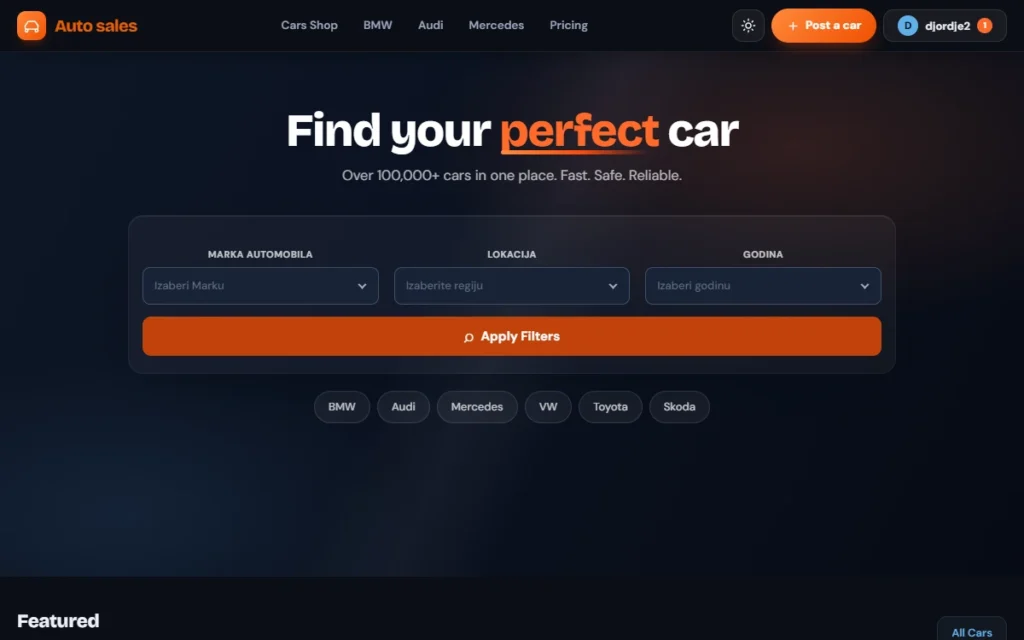
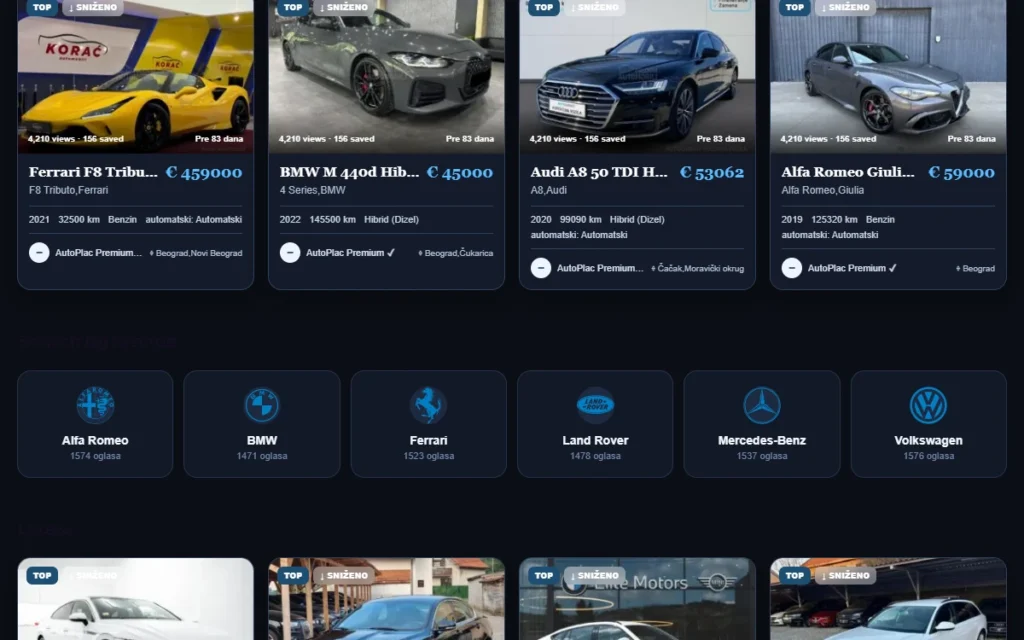
    Home page of the demo car site

    WooCommerce perfume shop

    Rebuilt from Elementor and WooCommerce; shop, category, product and cart templates in DJIA Builder.
    Open the shop ↗

    To confirm Project name and logo, only with client consent

  • Project 2
    Featured cars on the demo home page

    Agency website

    Rebuilt from Elementor; content pages, sections and forms in DJIA Builder.

    To confirm Project name and logo, only with client consent

  • Project 3
    Demo catalog with filters

    Vehicle classifieds catalog

    Rebuilt from Bricks; catalog with filters, one version with DJIA Builder alone and one with DJIA Cache and DJIA Filter.

    Open the catalog ↗

    To confirm Project name and logo, only with client consent; show only catalog and filters

Measured comparisons will appear on the Performance page once each pair runs on identical hosting.

Next step

Seen what you need? Compare plans, or read the setup guide for the product you are interested in.