Dynamic data and Query Loop
Fill templates and cards with fields, terms and real items from the database.
Content and data
Design one template for all blog posts, archives, products or search results, and let conditions decide where it applies. Headers and footers follow the same rules, also on pages WordPress renders with the DJIA Theme.
Create a template once, and every page it matches uses it.
Single: posts, pages and custom post types.
Archive: categories, tags, custom taxonomies, post type archives, the blog page, and author and date archives.
Search results: addresses such as /?s=… and /search/…/.
404 page: used when the runtime answers a missing page, which it does in strict mode. In the default transitional mode, WordPress answers it.
Product and product archive: product pages, the shop, and product categories, tags, brands and attributes. Without them, products use your single and archive templates.
Cart, checkout, order received and account: the runtime renders these only when you publish a template for them; otherwise WordPress renders them with the DJIA Theme. They are never cached.
Account templates can target endpoints such as orders, downloads, addresses and account details, or the login and registration forms for visitors who aren't logged in.
Product cards and reusable sections are components: design a card once and pick it as the card of any product loop.
Headers and footers are layouts with the same conditions. Each page gets the first matching header and footer by priority, so a shop or a landing page can have its own.
Popups are layouts too. Every popup whose conditions match is added to the page, up to five, as a closed dialog after the footer. A popup opens when the page loads, after a delay, at a scroll depth, when the pointer leaves the page on desktop, or on a click, and you set how often: every time, once per visit or once every set number of days.
Each template has include and exclude rules, built from the same list:
A template applies when one include rule matches and no exclude rule does. When several templates match, the higher priority wins, on a scale from 0 to 100. At equal priority, a template for a specific language wins over one for every language. A template without conditions applies nowhere.
Your Single post template covers the entire site at priority 10. A second Single template includes the News category at priority 20. Posts in News get the second design; every other post keeps the first.
A page you design directly in DJIA Builder keeps its own design. Templates cover everything else.
Language rules need a multilingual plugin. Its test status is on the integration status page.
On the canvas, a template shows a sample post, product or category that you choose, with real content.
Publish a template as staged: administrators and preview links see it, while visitors keep what they see today until you choose Live for everyone. Every publish is a release, so a template can also be rolled back.
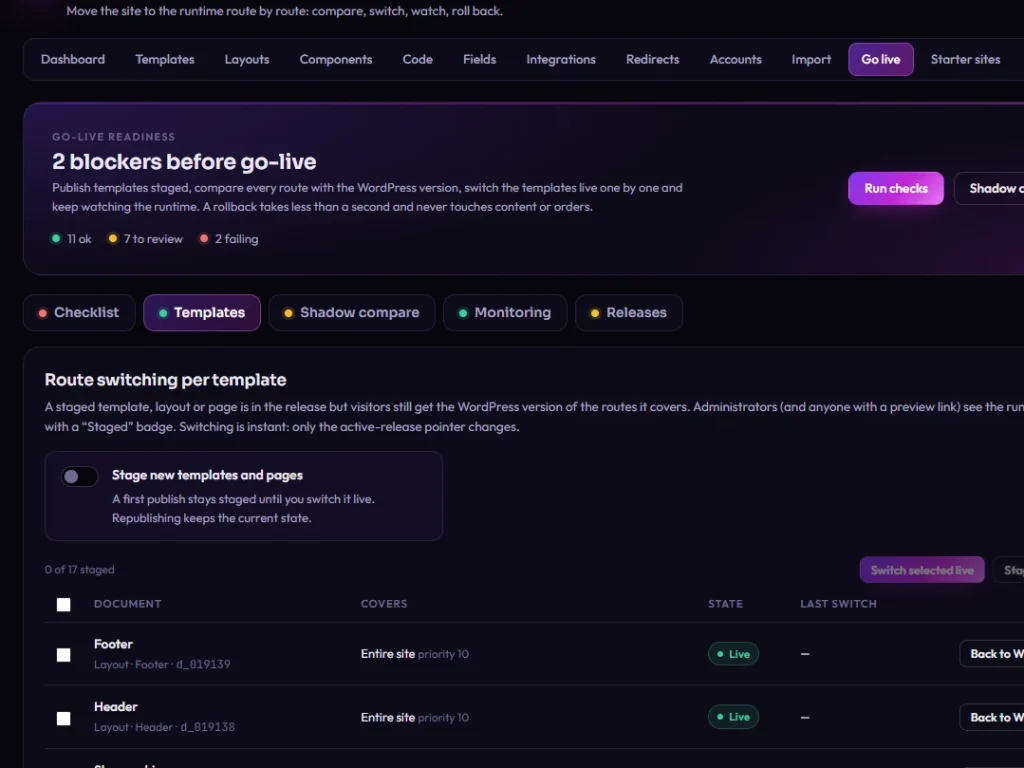
In the default transitional mode, routes without a published Builder template go to WordPress. With the DJIA Theme active, those pages get the header and footer that match them by the same conditions, plus your global styles.
In strict mode the runtime answers those routes too, with a 404 page, so switch to it once templates cover the whole site. Paths you list in the settings stay with WordPress in either mode.
Rebuild one template, stage it and compare it with the page you have now. Switch it live when it's ready; everything else keeps running as it does today.